CapCut AI vs Duble AI: generate, edit or replace a person
4 min read
Use CapCut AI for the scene-generation and editing functions it documents; use Duble AI when you already have footage and want your influencer in place of someone on screen. They can be part of one workflow: generate the replacement, save the output and finish the edit.
How do the tasks compare?
Reviewed October 24, 2026. Duble AI is our product and was checked against its current code. This is a capability comparison, not a side-by-side generation test.
| Need | CapCut | Duble AI |
|---|---|---|
| Invent a scene | Seedance 2.5 generator from text and images | Video requires a recording or trend |
| Assemble an edit and captions | Editing and caption tools | No editing timeline |
| Put your influencer into footage | Check the specific account feature; equivalence is not assumed | Dublê Idêntico, up to three doubles in a video |
| Sound | Voice and editing tools | Original sound retained; no generated voice or music |
| Quality | Depends on model, feature and export settings | Standard 720p or High, Full HD 1080p |
| Price | Configured Brazilian clip price not stated in the reviewed pages | Credits per second, optional plans and packs |
| Duble AI payment in Brazil | Check CapCut's own checkout | Pix or card for one-time purchases; card subscriptions |
CapCut's name covers several kinds of work. That does not assign the same limits or price to every feature. Open the particular generator or editor you need, check account access and inspect its credit or subscription requirement.
When should you choose scene generation?
Choose a scene generator when the shot does not exist. A product in an invented setting or a landscape shot needs controls for building the scene, rather than only a different identity in recorded action.
CapCut's generator page documents text and image inputs. We did not generate a sample to assess adherence to a brief, and a marketing page cannot determine how many attempts your project will need. Plan time to inspect the result before promising a delivery date.
Duble AI can create an influencer's appearance from a photo or description. Its video step places that appearance into a recording. Text-to-video versus person replacement explains why describing an appearance is different from specifying a complete new filmed scene.
When should you choose Duble AI?
Use its reference-footage workflow when you want to keep a recorded performance and change who appears. The app calls your AI influencer a double. The recording supplies the scene and original sound; Duble AI is not a voice-dubbing tool.
Choose a trend or upload your own authorized clip of 3 to 30 seconds. The active model is Dublê Idêntico. Up to three doubles can replace different people in one video. Check each assignment and each person's result.
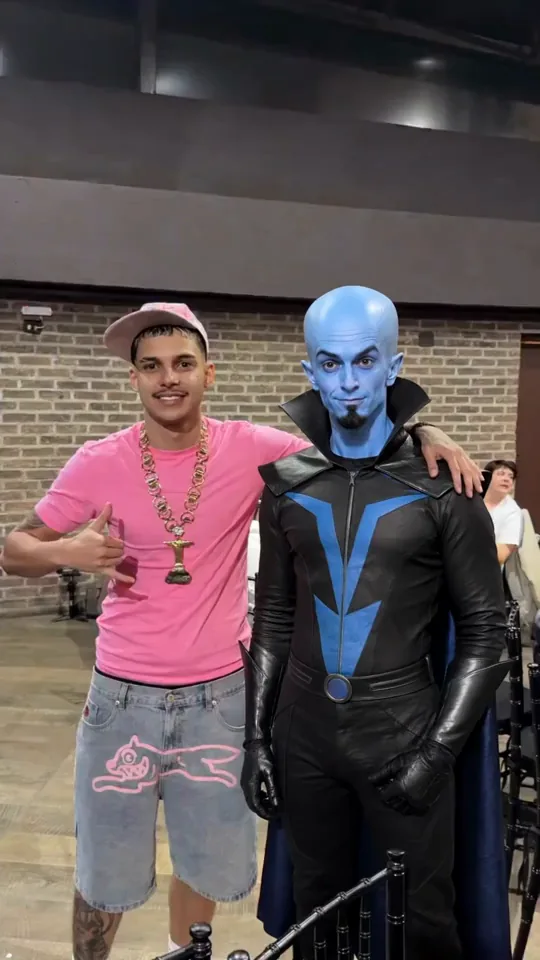
The example demonstrates the type of alteration. It is not a comparison against CapCut or a guarantee of perfect identity in every source. Clear references and visible subjects help you inspect the output; we do not promise pixel-for-pixel preservation.
How can you use both tools?
Replace the person before adding final captions. Put text that must remain exact into the edit after the generative step.
- Select source footage you are authorized to use.
- Prepare the Duble AI video, choosing identity and replacement target.
- Select quality, read the consumption and generate.
- Watch the full output and save it.
- Import the file into the editor for cuts and final text.
- Export the edit and review image and sound again.
If dialogue must change, prepare it earlier or handle the new track in an appropriate editing workflow. Replacing audio afterwards does not automatically regenerate mouth movement. Inspect synchronization rather than assuming the editor corrects it.
On phones, use the saved output described in the mobile guide. Duble AI playback may use a smaller copy, while downloading preserves the generated output quality.
How should you budget the workflow?
In Duble AI, ten seconds uses 30 credits at Standard or 40 at High, Full HD. An eligible first purchase includes a video and 10 photos for $6.99. There is no free video, and purchased credits never expire.
Compare the complete purchase with the generation balance required. The smallest image-oriented purchase may not cover a video. Add any paid editing features to the generation budget. The AI influencer cost guide helps separate these expenses.
Record final duration, required quality and caption needs before selecting plans. We do not assume CapCut Pro includes every generation or treat an international Dreamina promotion as Brazilian editor pricing.
What should you inspect before delivery?
Watch the final file in the intended framing. Check the face through motion, graphics and sound. Full HD describes resolution; content can still need revision. Output without a commercial logo can still require AI disclosure.
Check permissions for the likeness, recording and music. Generation does not transfer those rights. For recurring content, the Instagram influencer guide covers keeping the profile's identity consistent between clips and posts.
Frequently asked questions
- Which is better, CapCut AI or Duble AI?
- Evaluate CapCut’s documented tools for scene generation, editing and captions. Duble AI offers a dedicated workflow for putting an influencer into an existing recording. The right choice depends on the task, and you can generate the replacement in Duble AI before finishing the project in an editor.
- Do both tools generate videos from text?
- CapCut documents generation from text and images. In Duble AI, a description can create the influencer’s appearance, but the video step requires a trend or reference recording. Creating an identity from words and inventing a new scene from a script are different operations.
- Does Duble AI create narration and captions?
- Duble AI retains the recording’s original sound and does not generate voice or music. It has no editing timeline for assembling captions. Prepare different dialogue in the source or use an appropriate editor, then review synchronization in the completed project.
- Can I edit a Duble AI result in CapCut?
- You can save the generated video and import it into an editor for your project. Check the editor’s terms, export settings and rights for the footage and music. Add final captions after replacing the person if the wording needs to remain exact.