Gang Gang AI dance: put yourself in the battle
3 min read
To make the Gang Gang AI dance, create a double from photos and select Gang Gang (batalha) in the Duble AI library, our product on this site. Your double takes the dancer's place in an existing recording. Check who will be replaced and play the clip with sound before generating.
Identify the Gang Gang battle clip
The available reference is Gang Gang (batalha). “Batalha” means battle in Portuguese. The clip shows a central dancer with people watching around the floor and blue lighting in the room. Open the preview to confirm that this is the battle you want.
Use the recording to identify the excerpt. “Gang Gang” alone does not establish which artist, remix or choreography appears in a video. Duble AI uses that clip's audio; it does not offer a music search to build a different version.
Prepare your photos for the battle
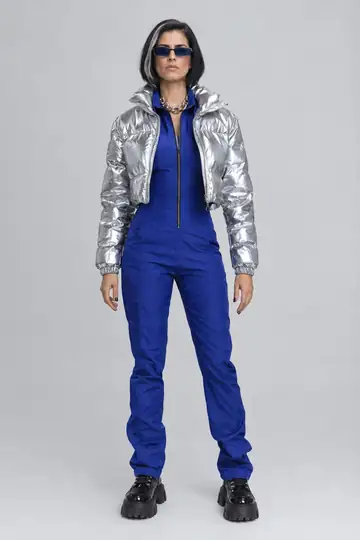
Upload a front-facing face photo and a full-body photo. The body image guides the proportions and look; with only the face, the body is invented. Use photos of yourself or someone who gave permission, with one person per image.
You do not need to wear the source dancer's outfit. Select the look you want for your double and inspect the whole reference image before continuing. The photo creation guide covers preparation, and the looks guide explains outfit changes.
Tell the app who should be replaced
Identify the dancer by what is visible, rather than a name the app may not recognize. Open the optional replacement instructions. For this reference, a useful instruction is: “Replace only the person in the brown suit dancing in the center. Keep the people around them.”
This guides the replacement but does not guarantee preservation of every audience detail. Watch the reference again before confirming, so you do not accidentally identify a person in the background. The multiple-people video guide explains this selection.
Go from photos to the battle video
- Create your double and review its face and body.
- Open Gang Gang (batalha) and choose the double and look.
- Watch the whole recording with sound to check the dance, setting and main person.
- In the replacement instructions, identify the dancer by position and clothing.
- Review the quality and credits. Tap Make my video and follow any account or purchase steps shown.
- Watch the finished result with sound before using Save video.
Review the dancer and the audience
Check that your double stays in the correct person's place throughout. Then inspect the feet on the floor, hands near the body and edges of the clothing under the blue lighting. Look for a background person blending into the double or a face changing as the dancer passes in front.
Your likeness can vary. If the wrong person was replaced, review the selection instructions. If the face was already wrong in the chosen look, review your photos first. The identity troubleshooting guide helps identify the next adjustment.
Cost and original sound
The total appears before generation and depends on duration and quality. For reference, 10 seconds use 30 credits at Standard quality or 40 at the higher quality. The first-purchase offer includes a video and 10 photos for $6.99. There is no free video.
The original sound stays with the result, without a song-selection or voice-cloning step. For another battle, upload an authorized recording between 3 and 30 seconds. Before posting, check permission to use the footage and music and follow the platform's AI disclosure rules.
Frequently asked questions
- Which Gang Gang version is in Duble AI?
- The library trend is named Gang Gang (batalha). Open the reference and listen to the clip to confirm that it is the version you want. The name alone does not identify every song, recording or dance called Gang Gang.
- How do I put my face in the Gang Gang battle?
- Create a double from your photos, select Gang Gang (batalha) and check whom it should replace. When other people are in the scene, use the replacement instructions to identify the dancer by position and clothing in the recording.
- Could the double replace someone in the audience?
- To replace only the dancer, identify that person in the instructions. The reference includes other people around them. Review the entire result: AI can alter details, and the appearance of every background face is not guaranteed to remain unchanged.
- Do I need to record a battle to make this video?
- You do not need a recording of your own for the library version. The clip already supplies the dance, setting and sound. Prepare your double, preview the reference and request the video with credits. Another battle requires another authorized recording.