Change your AI influencer's outfit and hair without changing the face
5 min read
To change your AI influencer's outfit or hair and keep the face, make a new look. On Duble AI, open the influencer, tap New look, type the change ("a suit and tie", "pink hair") and tap Create look · 2 credits. The influencer stays the same person, but check each new look's face before you use it.
Will the face stay the same?
Mostly, and the app is built to help. A look is an edit of a look the double already has, so nothing is drawn from scratch. For every look the app also makes two sheets by itself, with no button and no charge: one picture of the body from every side, one of the face up close from every side. They sit on the look's page under Other angles (Every side and Face from every side) and go to the video model along with the look. That helps the double stay recognizable when it turns or comes close to the camera. Keeping one AI influencer consistent has the longer version.
A look is not an exact copy. The hair or the face can come out a little different, so check each one before you use it. If it misses, ask again with a smaller change. A second request costs again.
Why one outfit is not enough
In the app an influencer is called a double, and each outfit or haircut is a look. People change clothes. A feed where your influencer wears the same thing for a month looks like a mascot: a blazer for a brand post, a hoodie for a Sunday coffee.
Some accounts get away with one costume. Dexerto describes Jean Phil as an AI-generated character who appeared on Instagram in mid-September 2026. He wears a brown suit, a blond bob and a curled mustache, and shadowboxes in silence in ever stranger places (Dexerto, September 25, 2026). When the whole account is one joke, the costume is the joke. If you want a profile that feels like a person, change the clothes and keep one signature piece. The plan behind the breakout accounts includes a second look.
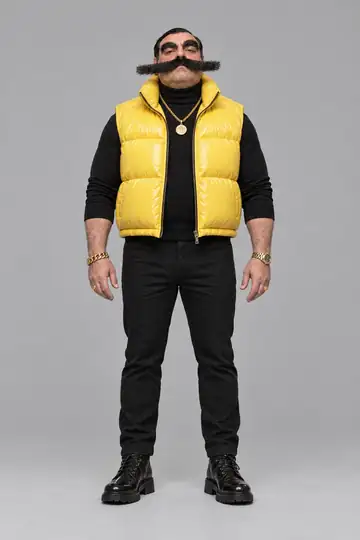
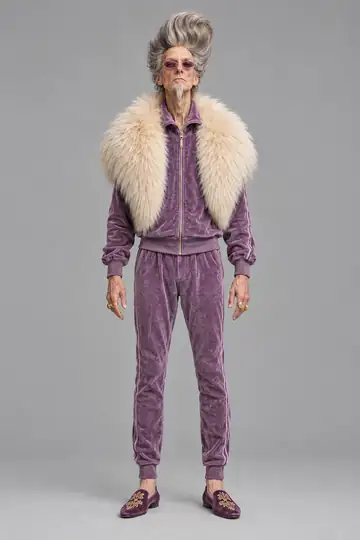
A look carries into videos and photos of the same double. Here is Enzo Puff, one of the ready-made characters in the cast, in his pink-suit look, standing in for one of three people in a trend:
Make a new look, step by step
You need a finished double. If you don't have one yet, make yours; the whole road is in how to create an AI influencer.
- Open the double. Tap Doubles, pick the influencer and open the Looks tab. The first card is New look. The same card also sits on Home, in the row under your doubles.
- Choose the look to start from. The Starting from row appears only when the double has more than one look. The new look is an edit of the one you pick.
- Add a reference photo, if you have one. Under Reference photo (optional), tap Add reference photo and send a photo of the outfit or the style. Your double keeps its own identity. With a photo, the words become optional: you can send the photo alone or say which part to use, like "use only the jacket". Only send photos you have the right to use.
- Type what changes. In the What changes? box, write the request in a few words, such as "a suit and tie". One change at a time makes it easy to see what moved. Idea chips sit under the box, such as "gym clothes".
- Name it if you like. Look name (optional) left empty takes the name of your request.
- Tap "Create look · 2 credits". You land back on the Looks tab, where the new look is a card that says Making the look until it is ready. Nothing opens by itself. The app doesn't say how long it takes.
What a new look costs
2 credits, whether you change only the hair or the whole outfit. A look never uses the 3 images the app gives you while you create the influencer. For scale, a 10-second trend video at Standard costs 20 credits. A look that fails is not charged. With no balance, the button turns into Buy credits and says how many you are short. Credits never expire.
Picking the main look
The main look is the one your double is shown by, and the one that goes into a video when you pick no other. The first look, called Original, starts out as the main one. To change it, open the look you want and tap Make this the main look; it gets a star on its card. For a video with a particular look, tap Make a video with this look, or pick the look on the trend screen, as the trend video walkthrough shows.
When a look goes wrong
- It didn't come out. The page says you weren't charged and offers Try again. If the main image model refused the request, Try with another model · 2 credits appears too, once, at the same price. The result may come out a little different.
- Very short clothes. Beachwear or very short clothes are sometimes turned down. Swap them for shorts or a longer dress. Duble AI doesn't make nudity.
- A cast member. The image model sometimes refuses to change one of their pictures. When it does, nothing is charged.
- The cap on looks. Each double takes a limited number of looks, and one look is made at a time. At the cap, delete one with Delete look. Videos made with it stay with you.
Once the look is ready, put the double in a photo wearing it.
Frequently asked questions
- Can I change an AI character's outfit without changing its face?
- Yes. You make a new look: the double stays the same person and only what you asked for changes, such as the outfit or the hair. The result resembles the original but is not a guaranteed exact copy, so check the face before you use it.
- How much does it cost to change an AI influencer's outfit?
- A new look costs 2 credits, and a look that fails is not charged. It never uses the 3 images the app gives you while you create the influencer. Credits never expire and work on any of your doubles.
- Can I use a photo of an outfit as a reference?
- Yes. Under Reference photo, send a picture of the clothes or the style and your double wears it without changing who it is. You can send only the photo or say which part to use. Only send photos you have the right to use.
- How do I keep an AI character consistent when I change its outfit?
- Change one thing at a time. Every look gets two sheets at no cost, one with the body from every side and one with the face up close from every side, and the app shows them to the video model. The face can still drift a little, so check each look before you use it.
- Which look shows up in my videos?
- The main look, unless you pick another when you set up the video. The first look, called Original, starts out as the main one. To change it, open the look you want and tap Make this the main look.