Jersey Joe AI dance: put yourself in the shuffle
3 min read
To put yourself in the Jersey Joe AI dance trend, create a double from photos and select Jersey Joe Shuffle in Duble AI, our product on this site. The recording supplies the shuffle and its original sound. You choose the double and look, review the cost and request the video.
Which Jersey Joe Shuffle is in the library?
Open the Jersey Joe Shuffle reference to check the exact clip. That excerpt guides the video, including the timing of the movements. A search for “Jersey Joe” can lead to other dances, so watch the preview rather than choosing by name alone.
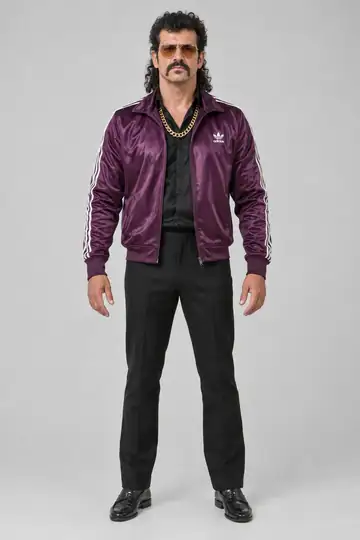
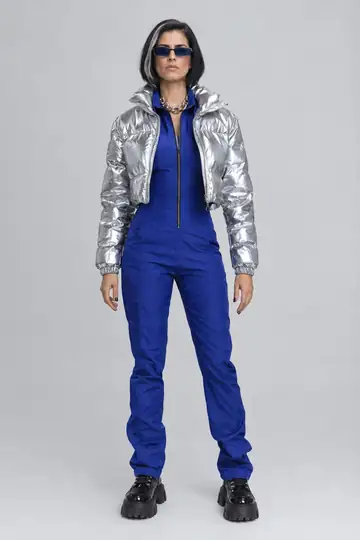
The examples with Gru and Hades from the cast show the same trend with different appearances. Look at the clothing, the leg movements and how each body meets the floor. These examples do not guarantee an equivalent result from your photos.
Photos that help show the footwork
Use a clear face photo and a full-body photo, with the head and feet inside the frame. Keep other people out of the reference. This image guides your double's proportions; it does not need to show you dancing. See creating a double from photos for the setup.
Check the shoes and the hem of the outfit in your chosen look. Clothing that hides the feet makes the finished steps harder to judge. If you want a different outfit, prepare your double's look before generating the shuffle.
Request your shuffle video
- Create your double from your own or authorized photos and review the appearance.
- Open Jersey Joe Shuffle, select the double and pick its look.
- Play the entire source with sound to confirm the version of the dance.
- Choose the quality and review the cost shown for that clip.
- Tap Make my video and complete any sign-in or credit purchase steps shown.
- Watch the finished video before saving, especially where the legs cross.
The selected recording already supplies the sound. Duble AI does not ask you to choose a shuffle track or clone anyone's voice. The original-audio guide explains what stays with the file.
Review the feet before cropping for social media
Watch at normal speed to assess the rhythm. Then pause where one foot passes in front of the other and check that the legs stay distinct. Look for shoes changing shape or sliding in a way that was absent from the reference.
Before cropping the result, make sure the feet stay visible until the end. A crop focused only on the face can remove the movement that makes this a shuffle. The social video format guide explains how to prepare the file.
What does this version cost?
The clip's duration and your quality choice determine the total shown before generation. Rates are 3 credits per second at Standard quality and 4 at the higher quality. Use the total on the page for this shuffle rather than a cost quoted for another video.
The first-purchase offer includes a video and 10 photos for $6.99. There is no free video. Faces, body shape and clothing details can vary; a higher resolution does not guarantee an exact likeness.
To use another shuffle, upload a recording you have permission to use. Before publishing, check the music permissions too and follow the platform's rules for identifying AI content.
Frequently asked questions
- How do I make the Jersey Joe trend with AI?
- Create a double from your photos, open Jersey Joe Shuffle in the library and select a look. Preview the recording with sound, review the credits and request the video. The steps come from that recording; you do not have to film yourself dancing.
- Is a selfie enough for Jersey Joe Shuffle?
- A face photo lets you start, but the body is invented unless you include a full-body reference. Since the shuffle makes the legs and feet prominent, add that photo and inspect your double's look before generating.
- Is Jersey Joe in Duble AI a filter for my video?
- The app puts your double into a reference video. The library option uses the Jersey Joe Shuffle clip. To use another recording, upload your own authorized video; typing a dance name does not generate a new choreography.
- Can I change the outfit for the shuffle?
- You can select a look for your double before requesting the video. Creating another look costs 2 credits. Check the full outfit and shoes in the reference image; details can change in motion, and an exact reproduction is not promised.