How to create an AI character for TikTok and Instagram
6 min read
To create an AI character people remember, describe one person, one strong visual detail and an attitude, then ask for the drawing. On Duble AI you type that sentence into a text box, the app draws the character in about 20 seconds, and you adjust the result one change at a time. Creating the character costs nothing, up to 3 images across tries and adjustments.
If you searched for an AI character generator, Duble AI draws a character that is meant to be used afterwards. The app calls it a double, and it is the base of an AI influencer. Once it exists, it goes into trend videos for Reels and TikTok and into photos in the Instagram post format. This guide covers only the step of inventing it. The whole road, up to a posted video, is in how to create an AI influencer.
What to write in the description of an AI character
The description has three parts: a person, one strong visual detail and an attitude. Write it the way you would explain the figure to a friend, with no technical terms.
A person
Say who it is: a neighborhood boss, a grandmother, a party bouncer, a building manager. Age and build help, and the cast's descriptions in the app use "around 55", "around 70", "stocky" and "thin".
One strong visual detail
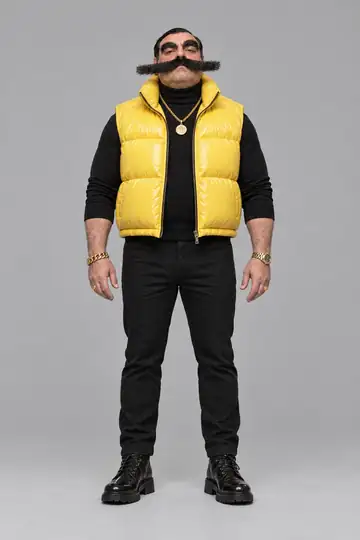
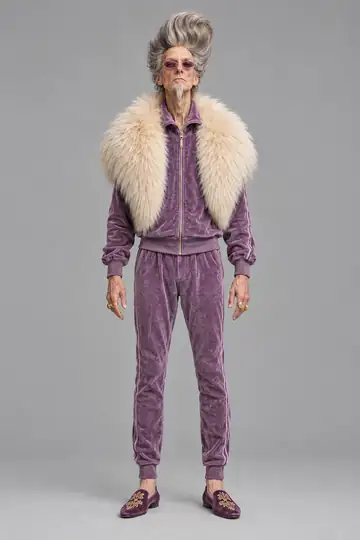
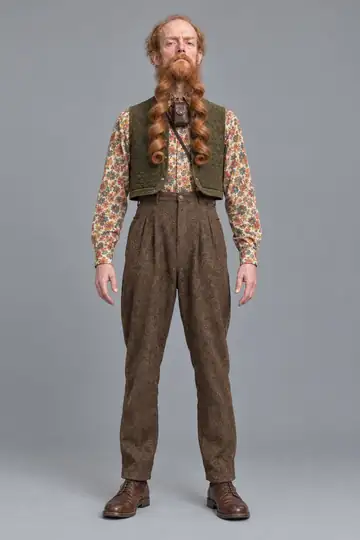
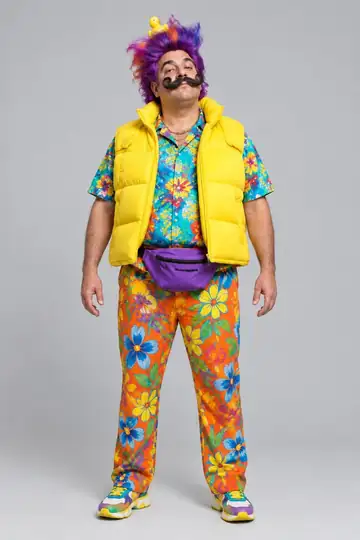
Pick one detail nobody could mistake and let the rest of the outfit follow it: a mustache that sticks out past the cheeks, a beard in long curls down to the waist, a very tall purple mohawk, a yellow rubber duck on top of the head. On a phone screen a small detail disappears and a big one stays.
An attitude
Tired, smug, over-excited, bored: the attitude becomes the expression and the pose. The cast's descriptions each end with one: "The look of someone who runs the neighborhood", "Still leads the mosh pit".
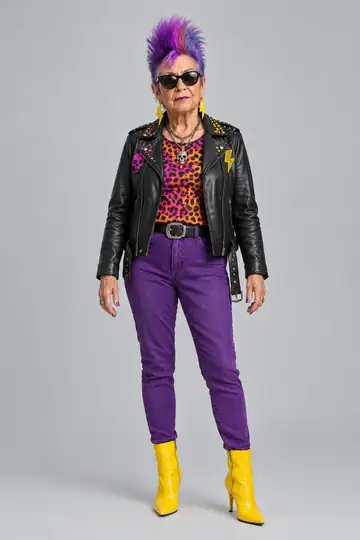
This is the description the app keeps for Vó Trovão:
An older woman around 70 with a very tall purple and blue mohawk, cat-eye sunglasses and yellow lightning-bolt earrings. Black leather jacket covered in studs and pins, orange and pink leopard-print top, slim purple pants and yellow heeled boots. Still leads the mosh pit.
The person is a woman of about 70, the detail that rules is the mohawk, and the attitude is in the last sentence. A weak description such as "a beautiful woman with long hair" gives the drawing little to hold on to and gives viewers little to remember.
What can't go in the description
Duble AI's Terms forbid using another person's name or likeness without their permission, and never a celebrity's. They also forbid characters and brands that belong to another person or company. An invented character should look like nobody real.
The text is read as you type. Requests with nudity, violence, insults to a group of people or politics are refused, and the screen tells you what to change. Beachwear or very short clothes are sometimes turned down by the image model. If that happens, you aren't charged, and shorts, a one-piece swimsuit or a longer dress will do.
Why an odd character beats a pretty one
A character you can describe in one sentence is one you can recognize in a second, and an ordinary pretty face gives you no sentence. Two cases from 2025 and 2026 work that way. Granny Spills is a fictional 75-year-old AI grandmother in pink designer outfits who gives blunt luxury-lifestyle advice, and she reached about 400,000 TikTok and 1 million Instagram followers in her first few weeks (TIME, November 2025). Jean Phil, treated by the press as an AI character though the account never confirmed it, is a man in a brown suit with a blond bob and a curled mustache who shadowboxes in silence (Dexerto, September 2026). Each has a person, a detail and an attitude, the three parts of the description above.
The Duble AI cast follows the same idea: absurd people, drawn to look photographed. The exaggeration goes into hair, mustache, clothes and attitude. The face and body stay close to a real person's, even with a rubber duck on the head.
Generate another or change something: how to adjust the drawing
After the drawing comes out, check whether you would stop scrolling at that face alone. If you would, go on to the name. If not, choose by the size of the problem:
- If the character is almost what you wanted, tap Change something and write one change, like "pink hair" or "round glasses". It stays the same person, with just that change.
- If the idea didn't land, tap Generate another. The app draws the same description again, and it can come out as a different person. To rewrite the text, use Change the description.
Change one thing at a time. That way you see what each change did, and if one spoils the result, the earlier tries are under Versions. Every try and every adjustment uses one of your 3 images that cost nothing, and after those they use credits.
How to pick the character's name
The name is the last thing you write and one of the things that shows up most: it appears on the profile and in the title of every video, which is called "Name × trend" until you rename it. The cast pairs a human name with a word that says something about the character: Vicente Violeta writes letters with a fountain pen, Tonho Tropical came to the wrong party and stayed, Dimas VHS owns an arcade and Nara Órbita is a sci-fi villain. Prefer a short name you can say in one breath and fit into a comment.
The Double's name field checks the name. If it doesn't pass, the screen quotes it and gives the reason, and you pick another. Avoid the names of real people, politicians and other people's characters. When you like the name, tap Save double.
What to do with the character once it is ready
With the name saved, the character has a page of its own and can go into videos. How to make AI trend videos shows the first trend. Clothes are what change most afterwards: a new look swaps outfit and hair for 2 credits (how to change outfit and hair), so write into the description the outfit you want to see most often. For a character that looks like you, photos are the way: create an AI influencer from a photo. When you post, label it as AI-made content where the platform asks.
To create yours now, start here.
Frequently asked questions
- What should I write to create an AI character?
- One person, one strong visual detail and an attitude. For example: a woman of about 70 with a very tall purple mohawk who still leads the mosh pit. Write it in your own words, as you would to a friend, with no prompt.
- Can I change an AI character after it is drawn?
- Yes. The Change something button takes one sentence, like pink hair, and redraws the character as the same person. For other outfits and haircuts in videos and photos, the character also gets new looks, at 2 credits each.
- Why does my AI character look different when I generate another one?
- Generate another draws a fresh picture from the same description, and it can come out as a different person. To keep the same person with one change, use Change something. Earlier tries stay saved under Versions.
- Can I make an AI character that looks like a celebrity or a cartoon character?
- No. The Terms forbid using another person's name or likeness without permission, and never a celebrity's, as well as characters or brands that belong to another person or company. Invent someone who looks like nobody real.
- How much does it cost to create an AI character?
- Creating the character costs nothing, up to 3 images across tries and adjustments. After that each drawing uses credits. Videos and photos with the character always cost credits: a 10-second trend at Standard is 20 credits.