Vidu or another AI: references and consistency in video
4 min read
Vidu makes video from references, from a starting image or from text. If you want the same face across several videos, compare Vidu with Kling, Hailuo and Seedance 2.5, which also use references. If you want to replace the person in footage that already exists, that is a different job, and the options are Duble AI, vswp and Real Xablau.
The figures below were read on official pages on October 24, 2026, with the link beside them, and no quality test was run. Duble AI is this site's product.
Three things called "reference"
Before you pick a tool, sort out what you have:
| What you upload | What the AI does | Typical use |
|---|---|---|
| Identity reference (photos of a person or object) | Builds a new scene with that person or object | The same character across different videos |
| Starting image | Animates from that frame | Giving a photo motion |
| Clip to edit | Changes something in existing footage | Changing who appears in a trend, with the same sound |
Vidu covers the first two. The third needs a tool that edits your footage, and mixing the three up is how people end up paying for the wrong tool.
What Vidu does and what it costs
Vidu's pricing page lists the Q4, Q3 and S models and tools for reference-to-video, image-to-video, text-to-video, reference-to-image, templates and a sound-effect generator. The generator page talks about multi-subject consistency from several images.
The plans as shown on October 24, 2026:
| Plan | Monthly | On annual billing | Credits a month | Saved references |
|---|---|---|---|---|
| Free | $0 | - | - | 10 a month |
| Standard | $10 | $8.25 a month ($99 a year) | 800 | 300 a month |
| Premium | $43 | $35.42 a month ($425 a year) | 3,500 | 300 a month |
| Ultimate | $115 or $230 | $95.83 or $191.67 a month | 10,000 or 8,000 | 300 a month |
Ultimate shows two prices on the same page: the plan card says $95.83 a month and 10,000 credits, and the comparison table says $191.67 and 8,000 credits. Check at checkout. Paid plans generate 3 to 16 seconds, up to four videos at once, and the page shows watermark-free downloads and commercial use on the paid rows. The first purchase is up to 17% or 18% off depending on the plan, and annual billing is 18% less.
The Q4 model uses 2 credits a second at 540p on paid plans and 4 on Free, according to the same page.
Vidu alternatives by job
The same face across videos: Kling, Hailuo and Seedance 2.5
In Kling Motion Control, Element Binding uses face photos from several angles to hold the identity, according to Kling's guide. It keeps only the face: clothes, hair, makeup and props are not included, and the guide recommends close-ups. With several people in the first frame, only one gets the element.
Hailuo shows up to 12 references with MiniMax H3 on its creation panel. Seedance 2.5, from ByteDance, says it reads reference videos more precisely and makes up to 30 seconds per generation. More on each in Hailuo alternatives and our Seedance 2.5 guide.
Animate an image: PixVerse, Kling and Runway
To give a photo motion, any image-to-video generator works. PixVerse publishes Standard at $10 a month on its information page, and Runway Standard at $12 a month billed annually on its pricing page. See PixVerse alternatives.
Replace the person in footage: Duble AI, vswp and Real Xablau
Here you do not generate the scene. The trend or the clip you filmed stays the same, with the same setting, camera and sound, and only who appears changes.
On Duble AI your AI influencer (the app calls it a double) is saved with its looks, and that same double goes into every video. This solves consistency another way: the face is not rebuilt from references for each new scene, because the scene already exists. Up to three doubles fit in one video, in your own clip of 3 to 30 seconds or a trend from the library. The price is per second, 3 credits at Standard and 4 at High (Full HD), and there is no free video.
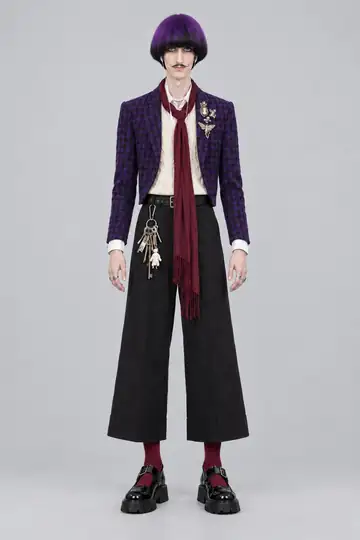
vswp and Real Xablau also replace people in footage and keep the original audio. To keep one influencer consistent across a profile, see how to keep an AI influencer consistent, and to compare swap tools, AI tools for swapping a character in a video.
Deciding in a minute
- You only have an idea and want the whole scene: a generator with references (Vidu, Hailuo, Seedance 2.5).
- You have a photo and want it to move: image-to-video (PixVerse, Kling, Runway, Vidu itself).
- You have a clip, or a trend, and want someone else in it: a person swap (Duble AI, vswp, Real Xablau).
In the third case, create your AI influencer and pick the trend.
Frequently asked questions
- How much does Vidu cost?
- On the pricing page read on October 24, 2026, Standard is $10 a month or $99 a year ($8.25 a month), with 800 credits monthly. Premium is $43 a month or $425 a year, with 3,500 credits. For Ultimate, the page itself shows two different prices, so check at checkout.
- Does Vidu have a free plan?
- There is a Free plan at $0, with 10 saved references a month and the Q4 model at 4 credits a second in 540p. The pricing page shows watermark-free downloads and commercial use on the paid plans' rows.
- What is the difference between a reference and a starting image?
- A starting image becomes the first frame, and the AI animates from it. A reference tells the AI who or what should appear, and it builds a new scene with that person or object. To keep the same face across several videos, the reference is what matters.
- Which Vidu alternative keeps the same face?
- In Kling Motion Control, Element Binding uses face photos from several angles, but only the face. Hailuo shows up to 12 references with MiniMax H3. On Duble AI your influencer is saved with its looks and goes into trends and your own clips, without generating the scene from scratch.
- Can Vidu edit a video I already filmed?
- The pricing page lists reference-to-video, image-to-video and text-to-video, plus templates and a sound-effect generator. It does not describe a mode for replacing the person in your own footage. Tools such as Duble AI, vswp and Real Xablau do that.