How to replace a person in a video with an AI character
10 min read
To replace a person in a video with AI, you send the video and pick the character who takes their place. On Duble AI the AI redraws the whole clip with your AI influencer where the person was, in your video's scene and with its original sound. The clip can run from 3 to 30 seconds, and you pay by the second: 2 credits at Standard quality.
What is the difference between replacing a person and a face swap?
A face swap changes only the face, and the body and clothes stay those of the person who filmed. Replacing the whole person takes whoever is in the video out and puts your AI influencer in their place, with its own body and clothes, following the movements of the original.
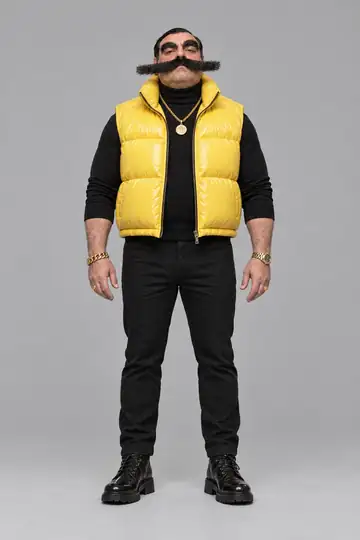
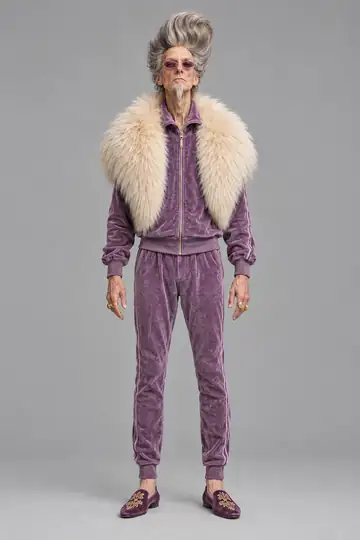
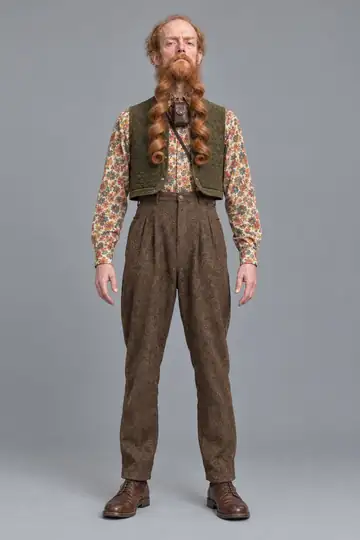
You will also see this job called a character swap, a body swap or video character replacement. If you film videos, you can shoot once and post the version where an AI influencer takes your place. Below, a video a creator filmed next to the result.
What do you need before you start?
- A video you have the right to use. More on that further down.
- An AI influencer. The app calls it a double. You can describe one in a sentence, build it part by part, make it from your own photos or take a ready-made one from the cast. How to create an AI influencer walks through all four. Creating one costs nothing, up to 3 images across tries and adjustments.
- Credits. Each second of video is 2 credits at Standard. Without an account, the app asks you to sign in before it takes the video.
Step by step: replace the person in your own video
- Pick who goes into the video. On Home, the top row shows your doubles. Tap the one that will take the person's place. If it has more than one look, pick the look right under it.
- Tap "Use your own video". It is the first card in the list of trends and says "from 2 credits per second".
- Bring the video. "Choose a video" opens your phone's gallery, and "Record now" opens the front camera. A video you sent before shows up under "Videos you sent", ready to use again. The app shows the rule beside it: "MP4 or MOV, 3 to 30 seconds, up to 80 MB. Longer than that, we use the start."
- If you like, add an object. "Add an object (optional)" lets you pick a product, a cup or a cap you already set up as an object. If the person in the video already holds something, your object takes its place; if they hold nothing, your double holds it. The guide to AI videos with a product in hand has the steps.
- Say what plays in the video. The app asks "What plays in this video?" and the generate button stays off until you answer. The two answers are explained below, in the part about sound.
- Choose the quality. There are three: Standard, High and Turbo, each with its price on the button. Until the app has read the video's length, the price reads "from".
- With more than one person in the clip, say who is replaced. The link "Say who Enzo Puff replaces (optional)", with your double's name in place of Enzo Puff, opens a text box. Write it in your own words, for example: only the person in front, in the white T-shirt. Left empty, your double takes the place of the main person, and the other people stay in the video.
- Tap "Generate video". The button carries the price. Short of credits, it turns into "Buy credits" and says how many you are missing; after you buy, you come back to the page and tap again (if the video has disappeared from the page, pick it again). The app prepares and sends the video, and the waiting page shows which stage it is in. It takes 1 to 3 minutes (seconds at Turbo), and you can leave the page: the video keeps being made.
- Save and post. On a phone, "Save video" hands the file to your camera roll. On a computer it is "Download video". There is no watermark. When you post, label it as AI-made content where the platform asks.
What makes a good source video?
These tips are not app rules (the app only asks for the file's format, length and size), and they do not guarantee the result, but they help the AI see clearly the person it is going to redraw.
- Ideally the person being replaced is in frame from head to toe for most of the clip. The trend cards in the app carry the framing: "Full body" or "Half body".
- The light is steady. No flicker, no strong backlight, no change of room halfway through.
- There is one clear main person. Other people in the shot are fine as long as you can say who is being replaced.
- The clip is a single shot with no cuts between scenes. Another company's tool asks for this: as of October 2026, Kling's Motion Control guide describes, for version 2.6, a single character in a single continuous shot.
- The picture is sharp and the camera steady, because the AI redraws from what it can see in the video.
- Nothing blocks the person's body or hands, whether another person or a large object.
- Your influencer looks quite different from the person in the video. When it looks like them, the app warns you that the video takes about a minute longer and that the result can come out with some of the original person's features mixed in.
- The file is within the limits: MP4 or MOV, 3 to 30 seconds, up to 80 MB.
If you are filming the clip for this, prop the phone up, leave space around the body, pick a place with steady light and shoot it in one take.
The scene in the result is your video's, but the app warns that it can change a little. There is no field to choose another place: the scene comes from the video.
What happens to the sound?
For speech or singing, the AI follows the source voice and the finished audio can vary; review the result with sound. For music or background sound, the original audio plays over the finished video.
For every video the app asks "What plays in this video?", and no answer is pre-selected:
- "Someone speaks or sings": the double's mouth follows the voice, and the video comes out as it was made.
- "Only music or background sound": the original sound plays over the finished video. If the app cannot put the sound over it, the video is not delivered and your credits go back.
How much does it cost to replace a person in a video?
You pay by the second of video, the same price as a trend: your clip's length, rounded up, times the credits per second. A very short clip is charged the minimum the app bills, and the button shows the price before you tap it.
| Quality | Output size | Credits per second | A 10-second video | Ready in |
|---|---|---|---|---|
| Standard | 768p | 2 | 20 credits | 1 to 3 minutes |
| High | 2K | 5 | 50 credits | 1 to 3 minutes |
| Turbo | 768p | 6 | 60 credits | seconds |
Credits come from a monthly plan or a one-time pack. The $49.99 plan gives 300 credits a month, and on it one second at Standard comes to $0.33 and a 10-second video to $3.33. The "A week of posts" pack is $29.99 for 160 credits. Credits never expire. If a video fails or is refused, the credits go back to your balance right away. No video is free.
How does this compare with other tools?
Other tools do similar jobs, each with its own limits. Duble AI is our product and we ran no side-by-side test, so this list repeats what each one's own pages say, as of October 2026:
- Real Xablau, from Real Oficial in Brazil, takes videos of 2 to 60 seconds, swaps up to 6 characters per video and returns the original audio in the result. Duble AI takes up to 30 seconds.
- Magic Hour offers 3 free generations a day with no sign-up, and free videos may carry a watermark.
- Kling Motion Control starts from an image of the character and a reference video, which Kling's guide gives as 3 to 30 seconds in version 2.6.
Duble AI has the trend library and an influencer saved in your account, which you can use in many videos. For the full comparison, with the price of a clip on each tool, see AI character swap video tools in 2026.
Which videos can you send?
Only videos you have the right to use. The app repeats this under the generate button, and so do the Terms. A video is yours to send when you filmed it, or when the person who filmed it and everyone in it agreed. A video of someone else's that you downloaded only goes in with the permission of whoever filmed it and whoever appears in it.
The Terms forbid using another person's name, image or likeness without their permission, and celebrities or political figures in any case. They also forbid characters and brands that belong to another person or company. The app does not check whose video it is or who appears in it, and under the Terms you answer for what you send. For platform rules and likeness rights, see whether an AI influencer is legal.
Before it uses a video, the app looks at the content. Nudity, sexual content, violence and hate symbols are refused, and nothing is charged. The file you send stays in My files until you remove it. It is private and is never shown to anyone else.
What if the video does not come out right?
When a video fails or is refused, the page says why and the credits go back to your balance right away. "Try again" takes you back to the page with the same choices.
If the influencer's face drifts as it turns in the video, give it more to work from: photos of other sides, and the every-side sheet that each look gets on its own. The guide to keeping one AI influencer consistent explains what holds the face from start to finish.
After the first video
When you would rather not film anything, the trend library does the same job with videos that are already going around. They are other people's videos as they were posted, and whoever posts the result is responsible for what they post. The steps are in how to make AI trend videos. To start from zero, create your influencer and then send your first video.
Frequently asked questions
- How do I replace a person in a video with AI?
- On Duble AI you tap “Use your own video”, choose or record a clip between 3 and 30 seconds long, say what plays in it and pick a quality. The AI redraws the clip with your AI influencer in place of the person, in your video's scene and with audio based on the source clip.
- Can I replace the person in a video with an image of my character?
- Yes. On the My photos tab you send a photo of yourself, of someone who agreed or a drawing of your own, and the app turns it into a full AI influencer with a body and looks. That influencer takes the person's place in your video and repeats the original movements.
- Is replacing a person in a video the same as a face swap?
- No. A face swap changes only the face, and the body and clothes stay the original person's. Here the whole person is taken out and your AI influencer goes in, with its own body and clothes, following the movements of the clip.
- Does the video keep its original sound?
- For speech or singing, the AI follows the source voice and the finished audio can vary; review the result with sound. For music or background sound, the original audio plays over the finished video.
- Is there a free way to replace a person in a video?
- There is no free video on Duble AI. Creating the influencer costs nothing, up to 3 images across tries and adjustments, but every video costs credits by the second: 2 at Standard. A 10-second video comes to $3.33 on the 300-credit monthly plan.
- Can I replace the person in any video?
- Only in videos you have the right to use: ones you filmed, or ones where everyone in the shot agreed. The Terms forbid using another person's name or image without permission, and celebrities in any case. The app also refuses videos with nudity, sexual content, violence or a hate symbol.