The Entiende, corazón before-and-after trend with AI
4 min read
The Entiende, corazón trend uses a cut in Prince Royce’s “Recházame” to reveal an after shot. To adapt it for an AI influencer, put the same face in two stages of a project. Match the pose and change what’s around it. A single arcade cabinet can turn into a roomful of games in one cut. Prince Royce’s recording on Apple Music
How popular is Entiende, corazón?
On November 18, 2026, “Recházame” was No. 2 on Tokchart’s Brazil chart for songs trending on TikTok. The chart tracks activity around the song, which can appear in many kinds of video. On the same day it was No. 18 on Shazam’s Brazil chart, a signal that people were trying to identify the track. Tokchart’s Brazil chart · Shazam’s Brazil chart
For evidence of people using the format, look at individual edits. Abiortiz published the “Entiende corazón” template on CapCut on November 8. It showed about 5,700 uses when checked on November 18. That figure applies to one template. Postdom’s November 16 scan recorded 681,300 views for one before-and-after post by @karlassuarez. Estimating Brazilian participation would take a count of posts using the format in Brazil. Abiortiz’s CapCut template · Postdom’s November 16 scan
What to shoot for the arcade before and after
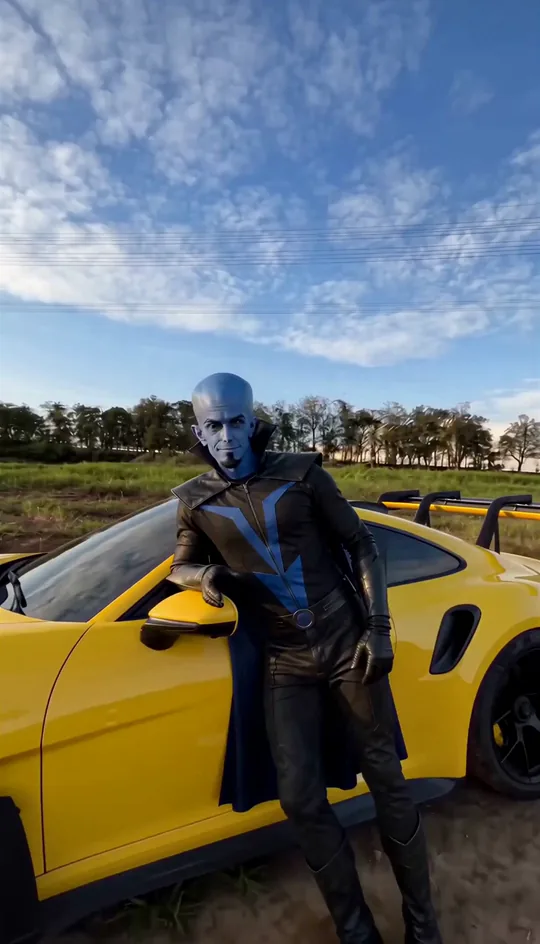
Take Dimas VHS, the arcade owner from the Duble AI cast, as the lead in a fictional episode. A coin going into the slot connects the shots. The room is what changes around him. You can adapt the plan to any space and props you’re able to film.

| When | What the viewer sees |
|---|---|
| 0 to 2.5 seconds | One dark arcade cabinet and a cardboard box on the floor. Dimas raises a coin to chest height. On-screen text reads “The first machine.” |
| On the cut | His hand is at the same height. The lights and background change. Try placing the cut at the start of “corazón” if that clip of the sound is available for your post. |
| Through about 6 seconds | The cut reveals a lit room with more machines in view. Dimas finishes dropping in the coin. On-screen text reads “Opening night.” |
Record two five-second vertical takes with your phone on a tripod. Mark the performer’s feet and the tripod position with tape. For the second take, have the performer start with the coin already raised, hold it there briefly and then drop it into the slot. The pause gives you room to move the cut in the edit.
How to join the two takes
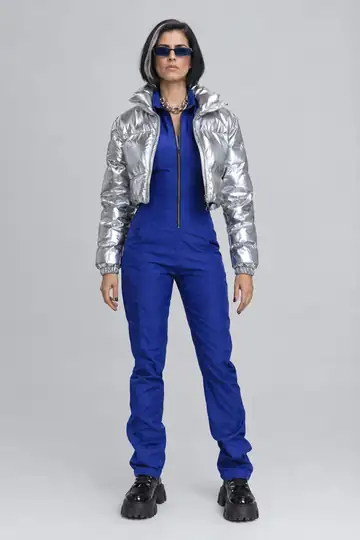
- Choose a double from the cast or prepare an original AI influencer for the scene. If you use Dimas, stick with the same look in both clips. When reviewing the files, compare the height of his face and the shape of his glasses. See how to keep one AI influencer consistent.
- In Studio, open Use your own video and upload one take at a time with Choose a video. Use footage you have permission to edit. Select the same double and look. Each five-second take uses 25 credits at Standard quality. Check the total on screen before generating. The guide to uploading your own footage shows where to do this.
- Use Save video on each result and open the files in your editor. Match the frames by hand position and make a straight cut. The times in the table are a rough edit. Slide the cut until the room changes on the word in the excerpt you selected.
Duble AI keeps the audio in your recordings. Film without music in the room so you can add a track when you post. For a commercial post, use a track cleared for that use and time the cut to its beat. TikTok’s Commercial Music Library collects tracks it has cleared for that use. The guide to music in AI videos covers more publishing situations. TikTok’s commercial music guidance
Watch the edit on mute before posting. If the jump from one cabinet to an open arcade takes a moment to register, hold the second shot a little longer. Call the scene fictional in the caption and apply TikTok’s AI label for realistic imagery. TikTok’s AI-generated content guidance
Frequently asked questions
- What song is used in the Entiende, corazón trend?
- It’s Recházame, Prince Royce’s 2010 bachata track. In the before-and-after version, the lyric gives you a cue for the cut. Listen to the sound you plan to use before editing, since the cue depends on where that clip starts.
- Do I need a childhood photo to make one?
- You can show two stages of a project, such as getting the first arcade machine and opening the arcade. Repeat the influencer’s pose and the camera position. The change in the room tells the viewer that time has passed.
- How do I keep the same AI influencer in both shots?
- Choose the same double and look for both clips. When filming, mark where the camera and performer go. Pause on either side of the cut to check that the face sits at about the same height in both frames.
- Can I put the whole transition together in Duble AI?
- Duble AI uses each recording to put the influencer in the performer’s place. Save the two clips and assemble the transition in your editor. Set the exact cut point after you choose a track you can use in your post.