The Fate of Ophelia AI dance: put yourself in the trend
3 min read
To put yourself in The Fate of Ophelia AI dance trend, create a double from photos and select The Fate of Ophelia in the Duble AI library, our product on this site. You use an existing dance recording with its original sound. The double replaces the person in the clip, so you do not need to learn the steps.
Is this Taylor Swift's song, and which clip do you get?
“The Fate of Ophelia” is a Taylor Swift song, also presented on her official website. Here, the name identifies a particular library trend. It does not promise a recreation of the artist's whole music video or access to any scene in it.
Open The Fate of Ophelia in Duble AI and watch the excerpt with sound. The available reference shows a person dancing indoors and turning during the sequence. Assess that movement and framing before generating.
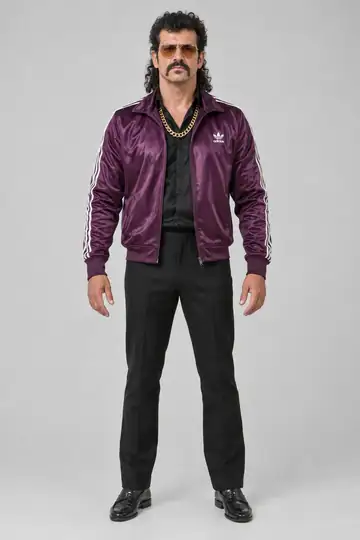
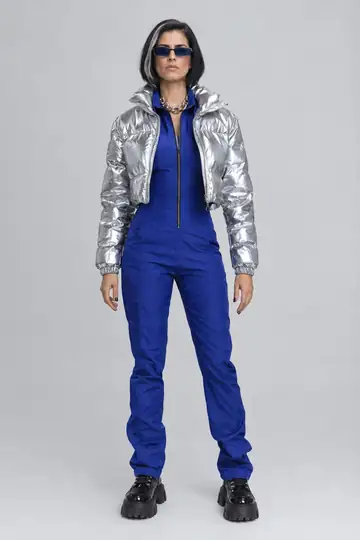
These examples show two cast doubles in the trend. They illustrate the idea; a video made from your photos may look different.
Prepare your appearance for the turn
Start with a well-lit front-facing photo and a standing, head-to-toe photo. Without the body reference, the app invents that part and may depart from your proportions. If you have side or rear views, include them as additional images.
The turn brings the profile, hair and back into view. Check those details in the selected look rather than expecting one selfie to determine everything the camera will show. See creating a double from photos and keeping an appearance consistent across angles.
Make your Ophelia trend video
- Create your double using your own or authorized images.
- Open The Fate of Ophelia and select the double and look.
- Play the entire reference with sound. Check the dance excerpt and the turn.
- Choose the quality and review the total credits shown for the clip.
- Tap Make my video and complete any sign-in or purchase steps required.
- When the result is ready, watch the full body turn before saving.
Review the face beyond the front view
Check whether the face remains recognizable before and after the turn. Watch the outline of the hair and the outfit as the dancer faces sideways or away. Inspect hands near the face and body parts that pass behind objects in the scene.
Identity and background details can vary. A higher resolution adds pixels but does not guarantee that these problems will disappear. The AI face and body troubleshooting guide helps you review the result before requesting another generation.
Cost and the audio that accompanies the dance
The page shows the cost for the duration and quality selected. For 10 seconds, the reference cost is 30 credits at Standard quality or 40 at the higher quality. The first-purchase offer includes a video and 10 photos for $6.99. Every video costs credits.
The sound comes from the selected recording. There is no track picker or generation of your voice singing. To use a different excerpt, use an authorized recording through the own-video flow, rather than a text request to change the song.
Check permission to use the footage and music before posting, particularly for a brand or campaign. The AI video music guide explains why hearing a track in a preview does not establish permission for every use.
Frequently asked questions
- How do I make The Fate of Ophelia trend with my photo?
- Create a double from your photos and select The Fate of Ophelia in the Duble AI library. Preview the recording, choose your look and review the cost. The dance and sound come from that clip; you do not need to record the steps.
- Does Duble AI recreate Taylor Swift's music video?
- You select a library dance clip and put your double in place of the person in it. The trend name does not mean a recreation of the whole music video. Watch the available reference to see the scene and excerpt you will use.
- Which photos help when the double turns?
- Use a clear face photo, a full-body photo and additional angles if you have them. These guide the appearance as the dancer turns. Even with those references, the face, hair and clothing can change in the finished video.
- Do I need to create a voice to sing Ophelia?
- No. The result keeps the selected recording's sound, and mouth movement follows the original audio when there is speech or singing. Duble AI does not clone your voice or ask you to select music. Check the result with sound before posting.