Passinho do Jamal with AI: put yourself in the dance
3 min read
To make a Passinho do Jamal AI video, create a double from your photos and select Passinho do Jamal in the library. Duble AI, our product on this site, uses the existing dance clip and keeps its original sound. You do not need to perform the steps or describe a choreography.
Which Passinho do Jamal clip will you use?
You use the recording shown in the library, rather than any video carrying the same dance name online. Open Passinho do Jamal in Duble AI and watch the reference with sound. Check the duration and the audio excerpt before choosing it.
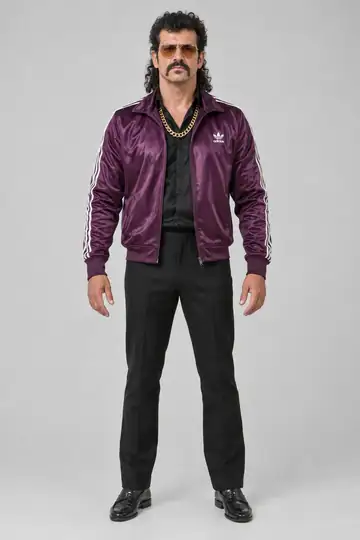
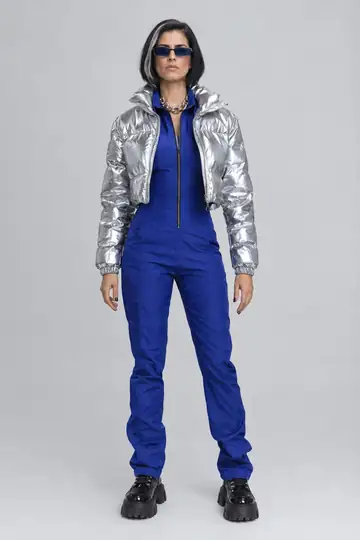
The pair below shows a Passinho do Jamal reference and a version with Vector from the cast. It demonstrates replacing the dancer with a double. It does not predict how your own face will look.
Prepare photos for a full-body dance
Start with a well-lit photo facing the camera, with one person in the image. Include a head-to-toe photo to guide the body proportions. With only a face photo, the body is invented and may not resemble yours. Changes in leg position make those proportions visible in this dance.
Choose a look whose clothing and shoes you can recognize clearly. If the double already looks unlike you in its reference image, revise it before making the video. The photo-to-influencer guide explains how to prepare those images.
Make your Passinho do Jamal video
- Create your double from photos. Use your own images or images you have permission to use.
- Open Passinho do Jamal and select the double and look you want in the clip.
- Play the full reference with sound. Confirm that it is the dance version and excerpt you want.
- Review the quality and credit cost. The source sound stays with the video; there is no song-selection step.
- Tap Make my video and follow any sign-in or purchase steps shown.
- Watch the finished clip before using Save video.
Check the footwork and hands
Watch once at normal speed, then pause as the dancer shifts weight. Check that the feet remain separate, the shoes do not blend into the floor and the hands keep a recognizable shape. Compare the face near the beginning and end too.
Increasing resolution alone does not fix a double that already had the wrong features. Review the reference first in that case. The face and body troubleshooting guide helps identify what to change before spending credits on another video.
Cost and using a different recording
The cost depends on duration and quality, and the page shows the total before generation. For reference, 10 seconds use 30 credits at Standard quality or 40 at the higher quality. The first-purchase offer includes a video and 10 photos for $6.99. There is no free video.
To use your own version of the dance, upload an authorized recording between 3 and 30 seconds, following the own-video guide. Keep the feet in frame and avoid cuts in the middle of a movement.
Before posting, check permission to use the footage and music, and follow the platform's AI disclosure rules. The music rights guide explains why a file containing audio does not establish permission to publish that audio everywhere.
Frequently asked questions
- How do I make the Passinho do Jamal with my photo?
- Create a double from a clear face photo, ideally with a full-body photo too. Open Passinho do Jamal in the library and select that double. The source clip supplies the dance, and generating the video costs credits.
- Do I have to record myself doing the steps?
- You do not need to record the dance to use the library version. The clip already supplies the movement and sound. For a different version, upload a recording you have permission to use, between 3 and 30 seconds long.
- Does the video keep the Passinho do Jamal music?
- The result keeps the selected recording's sound. Listen to the reference before generating and check the finished file with sound. Duble AI does not ask you to select a song or create a new voice for your double.
- Will I look exactly like my photo?
- An exact likeness is not guaranteed. Clear face and full-body photos help guide the result. Review your features, hands and feet throughout the finished clip; the double's appearance can vary as it moves.