Create an AI influencer from a photo: which photos you need and what rights
7 min read
To create an AI influencer from a photo, you need one clear photo of a face, up close, facing the camera, in good light, and the right to use it: your own face, or the face of someone who agreed. On Duble AI the influencer is drawn in about 20 seconds. It looks like the person in the photos. It is not sold as an exact copy.
Whose photos can you use?
Your own, or those of someone who agreed. That is the rule in the Duble AI Terms, and the box you tick before the influencer is drawn says it in one line: "I own these images or have permission to use them. I read the Terms."
In practice:
- Yes: photos of yourself, or of a friend, a client or a model who agreed, ideally in writing.
- No: celebrities and political figures under any circumstances; anyone who does not know about the project; a photo you found online; characters or brands that belong to another person or company.
The app does not check whose face is in the photo. It has no face recognition and no celebrity detector, so the rule is yours to keep. The Terms say that whoever uploads, generates and posts is responsible for it, including other people's image, name or voice.
An influencer built from real photos is usually photorealistic, which is the kind of content platforms ask you to label:
- YouTube requires disclosure when AI generates photorealistic content, including content that makes a real person appear to say or do something they did not (YouTube Help, read in October 2026).
- Meta asks for its AI-disclosure tool on posts with photorealistic video and may apply penalties if you skip it (Meta Community Standards, read in October 2026).
- TikTok requires creators to label realistic AI-generated content (TikTok newsroom, May 2024).
If the influencer will advertise products in Brazil, the CONAR guide for digital influencers (May 2026 edition) applies. It covers virtual personas and computer-generated characters, and an ad must be identified, for example with #publi (CONAR guide). In Brazil's Chamber of Deputies there are bills on synthetic content made without consent and on deepfakes in commercial communication (PL 1443/2026 and PL 6336/2025), but they are proposals, not law (record of PL 2338/2023 at the Chamber, consulted in October 2026). Likeness law differs from country to country, and none of this is legal advice. The wider picture is in is an AI influencer legal?.
Which photos does the app need?
Only the face photo is required. The creation screen has two slots: Face, for a photo up close, facing the camera, in good light, and Full body, optional, for a photo standing up, head to toe. Each image should have one person in it. JPG, PNG and WebP work, up to 8 MB each. Your browser shrinks the picture and strips the data embedded in it before it is sent.
With the face photo alone, the body is made up, and the app warns you it may not look like yours. A full-body photo prevents that. More photos (from the side, from behind, up close, from far away) are optional and help the influencer stay the same when it turns or comes close to the camera. The article on a consistent AI character explains how.
Step by step
The app calls the influencer a double, and its screens use that word.
- Open the creation screen and tap the My photos tab. You do not need an account to start: the photos and the influencer are tied to this visit and move to your account when you sign in.
- Tap Face and pick the photo. Add the Full body one if you have it.
- Under More images (optional), add the others.
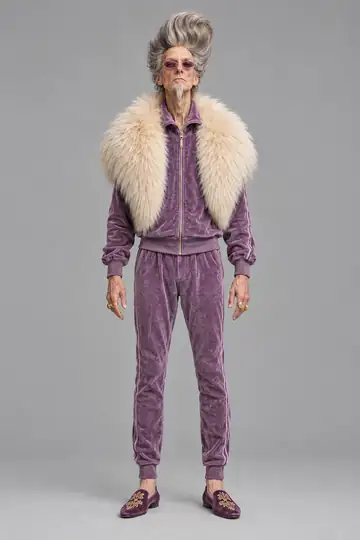
- To change something, write it under Want to change something? (optional), for example "a purple suit and sunglasses". If you send a drawing of your own instead of a photo, you can tick Turn into a realistic human (live-action) and it becomes a human version with natural skin, proportions and clothes.
- Tick the consent box. Its text is in the section above.
- Tap Generate my double. The screen reads "Drawing your double" and it takes about 20 seconds.
- Name it under What's it called? and tap Save double. If you have not signed in yet you see Save and pick a trend, and sign-in comes next.
If the result is off, Change something adjusts one detail and keeps the person. Generate another makes a new drawing. Under "Doesn't look like you?", Send more photos makes the next drawing use all of your photos.
Creating the influencer costs nothing, up to 3 images across tries and adjustments. The first drawing, each Generate another and each Change something uses one of them. After that, each drawing uses credits.
What the app refuses
Every photo is looked at when it arrives. The app refuses a photo that shows any of these, charges nothing and says what to change:
- exposed genitalia or female breasts;
- an explicit sexual act, or a sexualized minor;
- more than one main subject.
The text you write (the change you ask for, the name) is also read before anything is drawn. It cannot ask for nudity or explicit sex, violence, anything that demeans a group of people, or politics: politicians, parties and campaigns are not accepted even as a name. The finished drawing is checked again before it reaches you, and a result with nudity, explicit sex, graphic violence or a hate symbol is not delivered.
Will it look exactly like me?
It will look like you. The influencer is a drawing made from your photos, and the more photos you send, the closer it gets. With the face alone the body is invented.
The video is made from the influencer's drawings, and your original photos do not go into it. What Duble AI keeps is described on the privacy page. You can delete the double, and deleting your account removes your doubles, videos, credits and history right away.
A warning changes the result. When the app sees that the influencer could be mistaken for the person in the video it is about to enter, it tells you the video takes about a minute longer and the result can come out with some of that person's features mixed in. That applies to a trend where the person resembles your influencer, and it applies to a video of your own, since the influencer looks like you. An influencer clearly different from the person on screen is less likely to trigger the warning.
If what you want is a faithful copy of yourself reading a script to the camera, that is another kind of tool, a talking avatar. The difference is laid out in talking AI avatar vs AI character.
What you can do with it next
An influencer made from your photos is a double like any other, with a profile, looks, photos and videos. You can share its profile by link, but nobody can copy it to their own account, unlike an invented double that anyone who opens the link can take. A new look costs 2 credits, and a 10-second trend at Standard quality costs 20 credits, from $3.33 a video. Under the Terms, the videos you make are yours to post and use, commercially too, and come with no watermark.
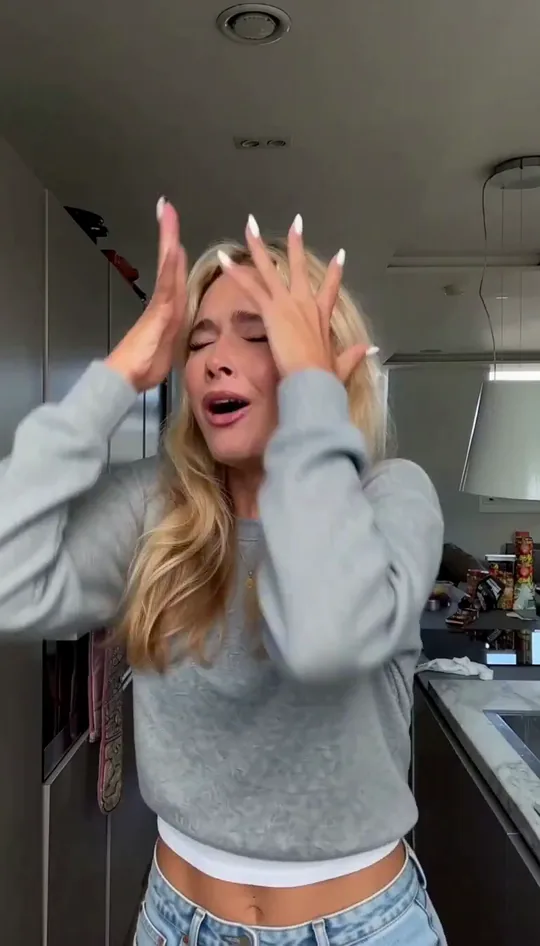
You can also put the influencer into a video you filmed yourself. In the pair below, the first video was filmed by a creator, and in the second an influencer of hers takes her place.
The trend steps are in how to make AI trend videos. The whole road, from the first drawing to a posted profile, is in how to create an AI influencer. To pick a pack and start making videos, create your influencer.
Frequently asked questions
- How do I create an AI influencer from my own photo?
- Send one photo of your face, taken up close, facing the camera, in good light. Add a full-body photo if you have one, tick the box that says the images are yours or you have permission, and Duble AI draws the influencer in about 20 seconds.
- Can I use someone else's photo to make an AI influencer?
- Only with their permission, and never a celebrity or a political figure. That is what the consent box and the Terms ask. The app does not recognize faces, so keeping the rule is on you, and whoever posts is responsible for what gets published.
- How many photos do I need to make an AI influencer?
- One: the face. A full-body photo is optional and stops the body from being invented. Photos from the side, from behind and up close are optional too, and help the influencer stay the same when it turns or comes close to the camera. Each file can be up to 8 MB.
- Will my AI influencer look exactly like me?
- It will look like you, and Duble AI does not promise more than that. The influencer is a drawing made from your photos. The more photos you send, the closer it gets, and Send more photos makes the next drawing use all of them.
- Does it cost anything to create an AI influencer from a photo?
- Creating the influencer costs nothing, up to 3 images across tries and adjustments. After that each new drawing uses credits. Videos and photos always cost credits: a 10-second trend at Standard quality is 20 credits, from $3.33.