Got That Feelin' AI dance: use your own photos
3 min read
To make a Got That Feelin' AI dance from your photo, create a double from your images and choose Got That Feelin' in the library. Duble AI, our product on this site, puts that double in place of the dancer and keeps the recording's original sound. The reference video supplies the gestures.
Identify the library version before generating
Open Got That Feelin' in Duble AI and play the clip with sound. In this reference, the dancer faces the camera, gestures with the arms and changes expression. Check the audio excerpt as well: a song or trend name alone does not identify a particular edit.
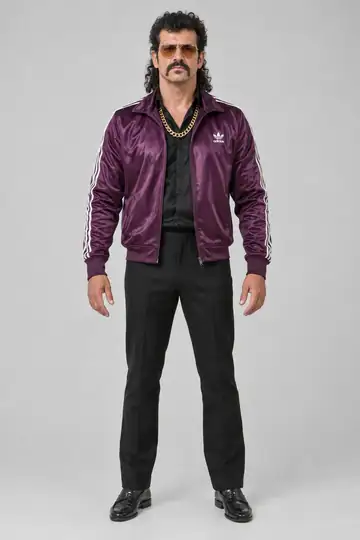
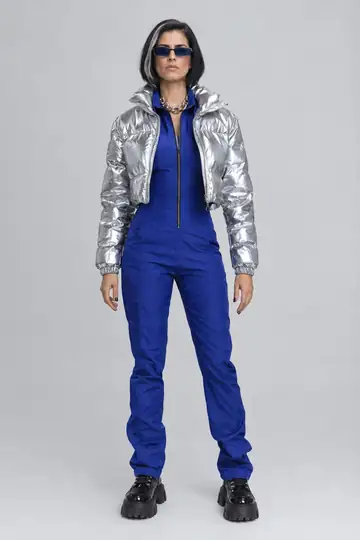
The videos below show Shrek and Gelado from the cast in this trend. They let you compare the same reference with different bodies and looks. To appear as yourself, start with your own photos instead of choosing one of those doubles.
Prepare photos for the face and gestures
A clear front-facing photo is the starting point. Add a full-body photo to guide proportions; with only the face, the body is invented. Additional side views help show the appearance beyond the front angle. Use your own photos or images you have permission to use.
Inspect the double's image before continuing. If it already looks like someone else, revise the references at that stage. The photo creation guide explains the process, and the consistent identity guide explains how other angles help.
Make your Got That Feelin' version
- Create your double and choose the look you want in the dance.
- Open Got That Feelin' and select that double on the video page.
- Watch the reference with sound. The gestures, scene and audio come from this clip.
- Review the quality and total credit cost before continuing.
- Tap Make my video and follow any account or purchase steps shown.
- Play the result with sound and inspect the face and hands before using Save video.
Check where the arms cross the body
Play the video without pausing to assess the whole dance. Then inspect the moments where the hands pass in front of the outfit and the head changes position. Look for fingers blending together, an arm disappearing or the face losing its recognizable features.
These details can vary even when the initial photo is clear. Generation does not promise an exact copy of your appearance or every gesture. If identity drifts, the face and body troubleshooting guide helps distinguish a reference problem from one that appears only in motion.
Cost and the sound in your video
The card shows the cost for the duration and quality. For reference, 10 seconds use 30 credits at Standard quality or 40 at the higher quality. The first-purchase offer includes a video and 10 photos for $6.99. There is no free video.
The recording's audio stays with the result. There is no step for choosing another track or making your voice sing. See how original audio is retained. If you want a version based on another recording, use your own authorized video.
Before posting, check permission to use the footage and music and follow the platform's AI disclosure rules. A file that includes sound does not, by itself, tell you where that sound may be used.
Frequently asked questions
- How do I put my photo in Got That Feelin'?
- Create a double from your photos first. Select Got That Feelin' in the library, choose that double and preview the recording with sound. The clip supplies the movements; you do not need to describe gestures or record the dance.
- Do I need to choose the music in Duble AI?
- No. The result keeps the selected recording's sound. Listen to the full clip before requesting generation so you know which excerpt accompanies the dance. Duble AI does not offer a soundtrack picker or create a new voice.
- Will my expression stay exactly like the photo?
- The photo guides the double's identity, but a video includes changing expressions and motion. Results can vary. Review the face when the head turns or the expression changes, along with the hands and body, before saving.
- Can I use someone from the cast for Got That Feelin'?
- Yes. You can choose a cast double instead of creating one from photos. The examples on this page show that option. Each video costs credits, and the examples do not guarantee that another double will produce the same result.